

Infinity Scalper is an indicator in the form of a histogram, which is located in the lower chart window. Changing the color of the histogram signals a change of trend and the need to open a trade. Infinity Scalper is provided with an alert and can send notices to the e-mail. According to the well-known developer Karl Dittmann, the indicator is super accurate and not repainted.
Characteristics of Infinity Scalper
-
Official website: infinityscalper.net
-
Platform: Metatrader4
-
Currency pairs: Any, recommended major
-
Trading Time: Around the clock, recommended European and American sessions
-
Timeframe: Only M1 and M5
-
Recommended broker: InstaForex, XM, RoboForex
Rules of the trade
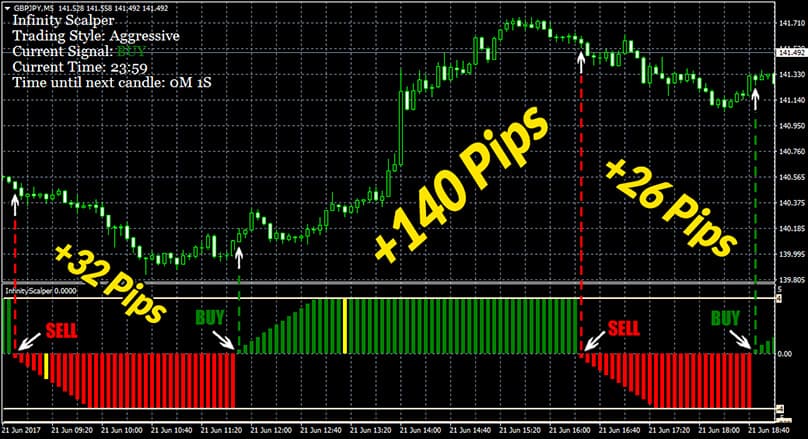
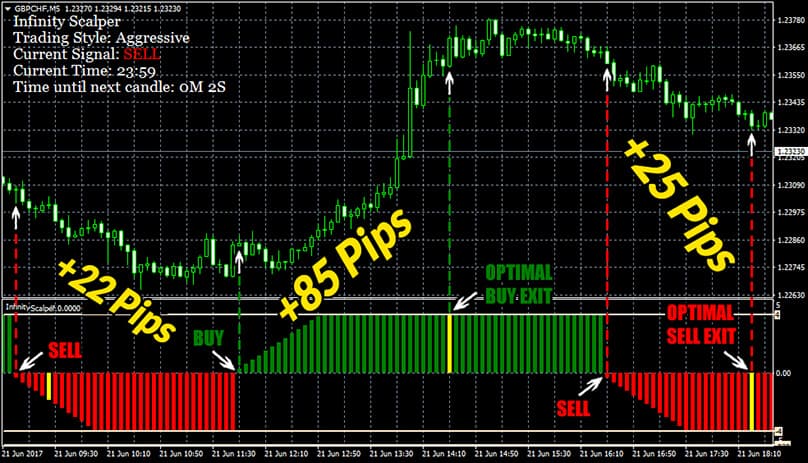
BUY – appeared green bar and the alert with recommendations for StopLoss and TakeProfit
SELL – appeared red bar and the alert with recommendations for StopLoss and TakeProfit (more on this below)
EXIT (2 options) – when changing the signal to the opposite (1) or when a yellow bar appeared (optimal exit) (2):

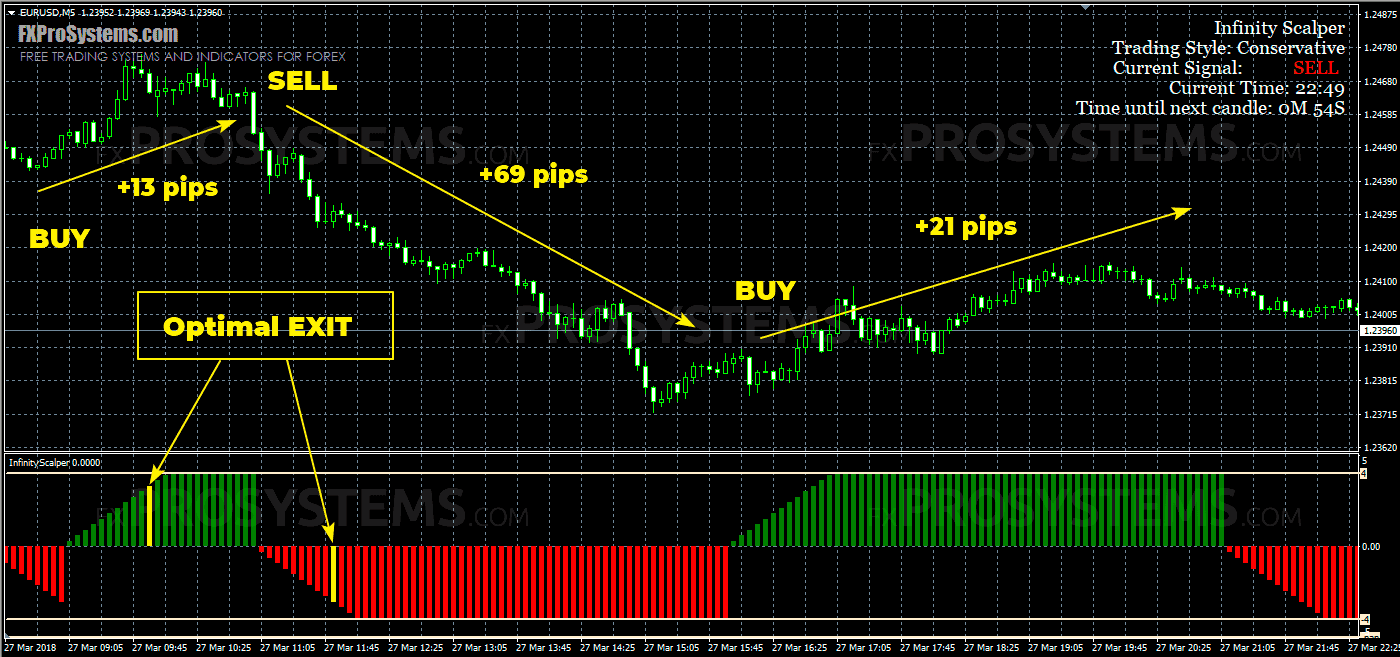
To set Stop Loss there are also 2 options:
-
Stop Loss is established according to the standard scheme: several pips above / below the local price minimum / maximum (the nearest support / resistance level)
-
Stop Loss is set based on the readings of the indicator's pop-up alert (more on this below)
A few examples from the author:
See also the video demonstration:

The alert of the Infinity Indicator carries information about the type of signal, the entry point and the TakeProfit and StopLoss levels:

In the indicator settings, you can select 4 options for trading with a risk in ascending order (TradingStyle):
-
Conservative
-
Medium
-
Aggressive
-
Custom (Period Setting)
I recommend using this indicator only in the Conservative mode and only on the demo account. Needs additional filters, such as this one.
In the archive Infinity_Scalper.rar:
-
InfinityScalper.ex4
-
InfinityScalper_Library_File.dll
-
Activation Code.txt
-
Infinity Scalper template.tpl


这个会不会重绘的?